LLD: Accordion Component

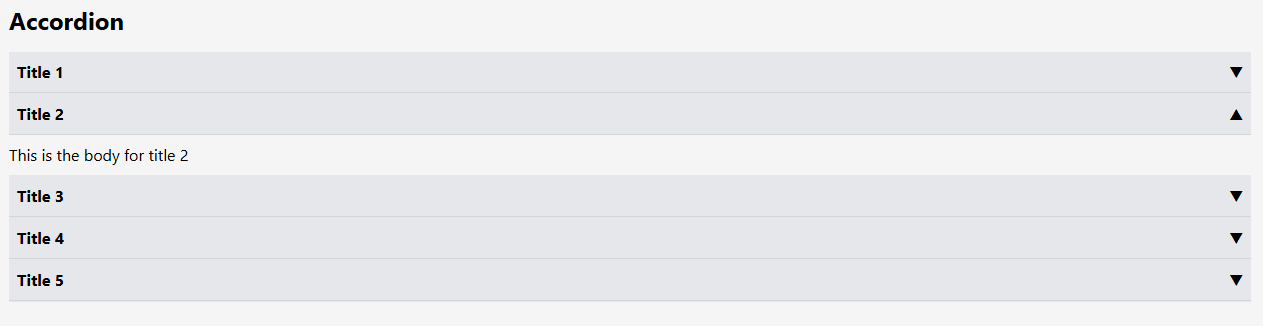
Accordion is a kind of controlled input used to show data. So, after confirming where the data comes from and knowing the requirements, we start the development.\
🔗 Links
Approach Here, we have accordion items and children. Since siblings are sharing data and using the same state to track which one is opened and which is not, it's better to use state lifting. That's why the parent component will keep all the state, and children will receive props based on which item is opened. This ensures that the accordion works properly. After checking the code, you will also see state lifting in action.
function Accordion() {
const [open, setOpen] = useState(null);
return (
<div>
<h1 className="text-2xl font-bold mb-4">Accordion</h1>
{jsonData?.map((item)=>(
<AccordionItem key={item.id} item={item} open={open} setOpen={setOpen}/>
))}
</div>
)
}
export default Accordion
function AccordionItem({item,open, setOpen}){
return (
<>
<div className="border-b border-gray-200">
<div className='flex justify-between bg-gray-200 p-2 font-bold border-b border-gray-300'>
{item.title}
<button onClick={() => setOpen(open==item.id ? null : item.id)}>
{open==item.id ? <span>▲</span> : <span>▼</span>}
</button>
</div>
{open==item.id && <div className='my-2'>{item.body}</div>}
</div>
</>
)
}
Want me to write notes on a course?
Tell me the course, book, or research topic you want covered. If it helps learners, I'll consider adding structured digital notes for it in the garden.
Have a notes collection to feature here?
Do you have open notes you want featured in this digital garden? Let me know — we can collaborate and publish them for learners worldwide.
Having a doubt? Ask a query?