LLD: Image Slider Component

By Ashutosh Anand TiwariPublished Feb 23, 2025 · 2 min read
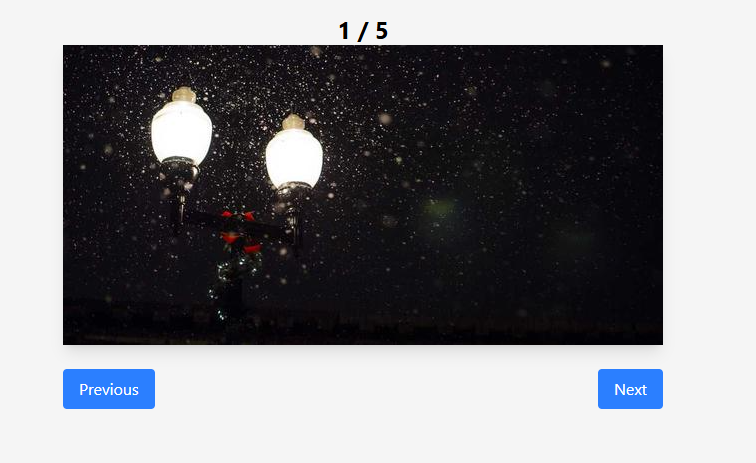
If you get this problem in an interview, first query the image data properly. Once you have the image URLs, then start the development.
Requirements
1️⃣ Render an image from an array of image URLs.
2️⃣ Have two buttons to change the source of the image in the <img> tag.
And that's it!
👇 See the code below:
import React, { useState, useEffect } from 'react'
const data = [
  'https://picsum.photos/600/300',
  'https://picsum.photos/601/300',
  'https://picsum.photos/602/300',
  'https://picsum.photos/603/300',
  'https://picsum.photos/604/300',
];
function ImageSlider() {

  const [activeImageIndex, setActiveImageIndex] = useState(0);

  useEffect(() => {
    const interval = setInterval(() => {
      setActiveImageIndex((prevIndex) => (prevIndex + 1) % data.length);
    }, 3000);
    return () => {
      clearInterval(interval);
    };
  }, []);
  return (
    <div>
      <h1>ImageSlider</h1>
      <div className='w-[600px] mx-auto'>
      <p className='text-center text-2xl font-bold'>{activeImageIndex + 1} / {data.length}</p>
        <img src={data[activeImageIndex]} alt="slider" className="shadow-lg" />
      </div>
      <div>
        <div className='w-[600px] mx-auto mt-6' style={{ display: 'flex', justifyContent: 'space-between' }}>
          <button
            onClick={() => {
              if(activeImageIndex > 0){
                setActiveImageIndex(activeImageIndex - 1);
              } else {
                alert('You are at the first image.');
              }
            }}
            className="px-4 py-2 bg-blue-500 text-white rounded hover:bg-blue-700"
          >
            Previous
          </button>
          <button
            onClick={() => {
              if(activeImageIndex < data.length - 1){
                setActiveImageIndex(activeImageIndex + 1);
              } else {
                alert('You are at the last image.');
              }
            }}
            className="px-4 py-2 bg-blue-500 text-white rounded hover:bg-blue-700"
          >
            Next
          </button>
        </div>
      </div>
    </div>
  )
}

export default ImageSlide
Continue Exploring
Request a Topic
Want me to write notes on a course?
Tell me the course, book, or research topic you want covered. If it helps learners, I'll consider adding structured digital notes for it in the garden.
Collaborate
Have a notes collection to feature here?
Do you have open notes you want featured in this digital garden? Let me know — we can collaborate and publish them for learners worldwide.
Having a doubt? Ask a query?