Browser Session Storage

Session storage is similar to local storage with some basic differences, and it retains data even after a reload.
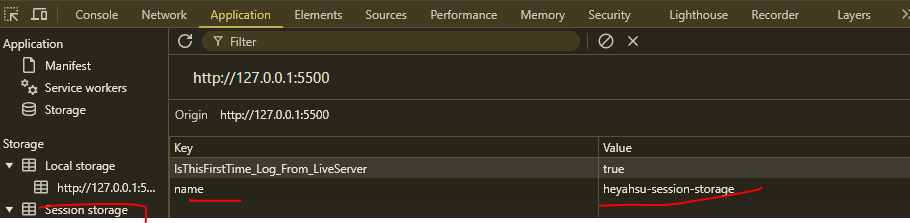
Similarly, there are some methods we can use to perform actions and take advantage of them.
sessionStorage.setItem('name', 'heyahsu');
sessionStorage.getItem('name');
sessionStorage.removeItem('name');
sessionStorage.clear();
It has the same 5MB data limit as local storage and is synchronous.
Just remember: It gets cleared when the browser session ends, such as when you close a tab or window. That’s the key difference from local storage.
Structurally, it uses serialized data for storage.
Important: If you switch tabs within the same domain, you won’t get the stored data. However, if you reload the same tab, the data remains. If you duplicate the tab, session storage initializes as a fresh state for that tab and does not sync with the original.
Be mindful of what to store and what not to. Avoid storing sensitive data.
Session storage is best for temporary data related to the current session.
Avoid storing large datasets, asynchronous operations (since it’s synchronous), or data that needs to persist long-term.
Continue Exploring
Want me to write notes on a course?
Tell me the course, book, or research topic you want covered. If it helps learners, I'll consider adding structured digital notes for it in the garden.
Have a notes collection to feature here?
Do you have open notes you want featured in this digital garden? Let me know — we can collaborate and publish them for learners worldwide.
Having a doubt? Ask a query?